guide · scratch_for_kids
Scratch coding for kids, and whether you need to pay for it
Scratch is where almost every child in Singapore starts coding, often at school before you ever book anything. Here is the age it suits, what a class adds that free practice does not, and when to move on.
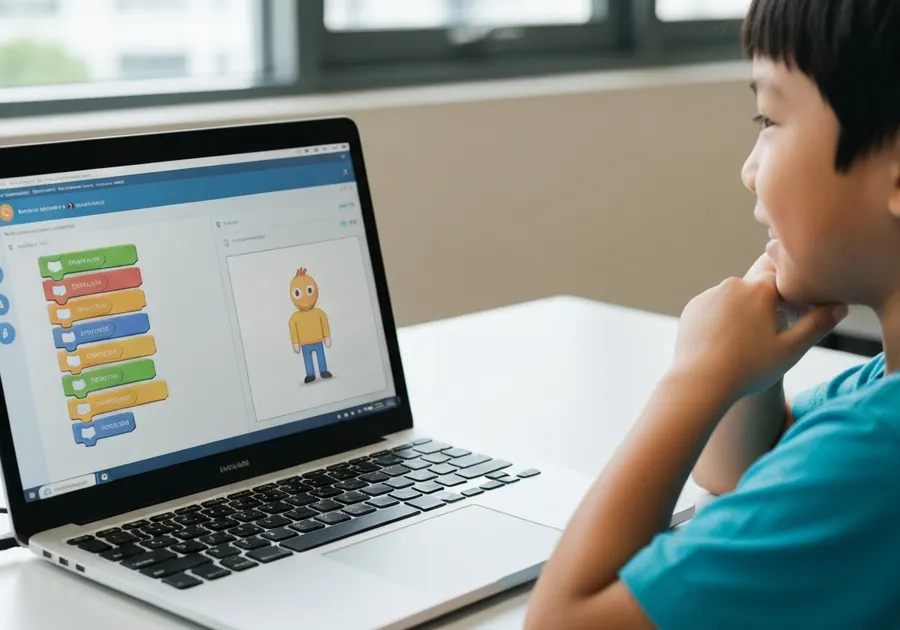
Scratch is the first word most parents hear when they start looking into coding classes. It is on nearly every centre's beginner page, and your child has very likely already met it in school. That makes it the easiest programme to buy and the hardest to judge, because the thing being sold is free.
This page is about the decision. What Scratch is, the age it actually suits, what a paid class gives you that a free account does not, and how to tell when your child has outgrown it.
What Scratch actually is
Scratch is a block-based programming language made by the Lifelong Kindergarten group at the MIT Media Lab. Instead of typing code, children drag coloured blocks and snap them together like puzzle pieces. Each block is an instruction, and the stack of blocks is the program.
Because the blocks only fit together in ways that make sense, a child cannot produce the kind of error that stops a program dead. Nothing goes red. That is the entire design intent: remove the punishment for being wrong, so the child stays with the logic long enough to learn it.
It is free, it runs in a browser, and it needs no installation. That matters for the rest of this page.
The age it suits
Roughly 7 to 12. Below that, ScratchJr is the tablet version built for 5 to 7 year olds, with pictures instead of words so reading is not a barrier. Above 12, most children are ready for typed code and Scratch starts to feel childish to them, which is its own kind of problem.
The real gate is reading and mouse control rather than age. A seven year old who reads well will get further in a term than a nine year old who is still finding the drag awkward.
Five signs your child is ready
They can read short instructions on their own
Scratch blocks carry words like "repeat", "if" and "when clicked". A child who can read those without help will move much faster than one who is still sounding them out.
They can use a mouse or trackpad with some control
The whole language is dragging and dropping. Fine motor control is the practical barrier at six or seven, more than the thinking is.
They enjoy making things, not just playing them
A child who builds levels in a game, makes comics or invents rules for play is already doing the interesting part. Scratch just gives it a screen.
They can follow a two-step or three-step instruction
That is sequencing, which is the first real concept in the language. If they can tell you the steps to make a sandwich in order, they are ready.
They do not give up the moment something is wrong
Scratch is forgiving, nothing turns red and nothing breaks. But a project that does not work still needs a child willing to poke at it.
Your child probably meets Scratch in school already
This is the part worth knowing before you pay for anything, and most centre pages will not raise it.
Coding is not a mainstream subject in Singapore primary schools, but exposure to it is organised nationally. In a parliamentary reply, the Ministry of Education stated that it has "worked with IMDA to expose all students to basic coding and technology through the 'Code For Fun' programme." Individual school pages describe what that looks like in practice: one MOE primary school describes its programmes as anchored on "the academic learning of related concepts using visual-based programming language, such as Scratch."
So for many families the honest question is not "should my child learn Scratch", because they are likely to meet it either way. The question is whether a paid class adds enough on top of that.
The same MOE reply is worth reading for a second reason. It puts the emphasis on "computational thinking, problem solving, logical reasoning and data handling" rather than on coding as a subject in itself. That is a useful test to hold a centre to. If a class is teaching your child to reproduce a finished project block by block, it is not building any of those four things.
What a first Scratch course actually covers
Beginner courses vary in name far more than in content. Nearly all of them work through the same ground:
Sequencing
Putting instructions in an order and watching the character follow them exactly, including when the order is wrong.
Loops
Repeating something without stacking the same block twenty times. Usually the first moment a child sees the point.
Events
Making things happen when a key is pressed or the character is clicked. This is what turns an animation into a game.
Conditionals
If this, then that. The program starts making its own decisions rather than following a script.
Variables
Usually met as a score or a countdown, which is a much friendlier way in than the word suggests.
A project they choose
A game, an animation or a story. The part that decides whether they carry on afterwards.
If a centre cannot tell you which of these your child will have met by the end of the term, ask before you commit.
So is a paid class worth it?
Sometimes, and it is a fair question to ask out loud. Scratch costs nothing, so a class is not buying your child access. It is buying three things, and they are worth different amounts to different families.
- Pace and structure. Left alone, most children build one thing they love and then stop. A course keeps introducing the next concept before boredom sets in. This is the strongest argument for paying.
- Someone to ask. A child stuck on why their sprite will not move can lose a whole afternoon. A teacher shortens that to a minute. Whether that is worth it depends on how much you can help at home.
- Other children. Showing a game to someone who is also making one is a real motivator, and it is the thing that is hardest to replicate at the kitchen table.
What a class does not buy is a head start on school. If your child is enthusiastic and you can sit with them occasionally, starting free at home for a few months is a perfectly sensible first step, and it tells you whether the interest is real before you spend anything.
How to tell a good Scratch class
- Children build different projects from each other. Walk past a class and look at the screens. Twelve identical cat games means the children are copying, not coding.
- They can explain their own project. Ask your child how their game knows it has been won. If they can answer, the logic is theirs. This is the single best test and it is free.
- The teacher asks questions rather than fixing things. Taking the mouse and repairing the project ends the lesson early and teaches nothing.
- They tell you when to stop. A centre that says your child has got what Scratch offers and should move on, or take a break, is being straight with you. One that has a Scratch 4 and a Scratch 5 may be selling terms rather than progress.
- Projects go home. Scratch projects live in a free account your child keeps. If work cannot leave the centre, ask why.
Three things parents get told that are worth questioning
- "Scratch is just a game." The blocks are colourful, but loops, conditionals and variables are the same ideas your child will meet in Python and in O-Level Computing. The concepts transfer even though the syntax does not.
- "They should skip Scratch and go straight to a real language." This usually costs time rather than saving it. Children rushed past block coding tend to come back to relearn the logic once the typing stops being the hard part.
- "They have finished Scratch." Scratch is not really finishable. A better question is whether your child is still being stretched by it, which is a judgement about the projects, not about the tool.
When to move on
The signal is not age or a certificate. It is a child who has built something genuinely their own, can explain how it works, and has started to find the blocks slow rather than helpful. Wanting to type is a good sign. Being bored is not the same thing, and often means the projects need to get harder rather than the language needing to change.
When that point comes, Python is the usual next step, and it connects directly to O-Level and A-Level Computing here. There is no rush to get there. More time spent building real things in Scratch is what makes Python go well later.
In short
Scratch is the right starting point for most children between about 7 and 12, and your child will very likely meet it at school regardless of what you book. It is free, so a class is buying pace, feedback and company rather than access. Judge one on whether children leave with different projects they can explain, and be wary of anything that sells Scratch as a ladder of numbered levels.
Looking for a Scratch class?
15 of the 22 schools listed here teach Scratch. Filter the directory to those, then compare them on age range, area and format.
See schools teaching Scratch